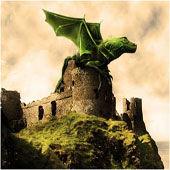
軟體:Photoshop
說明:
We’ll be creating a fantasy illustration in this tutorial, I’ll show you how to merge two images into one using layer Masks and reshape a picture using the Liquify Filter. We’ll take an image of a baby iguana and another of a bat, then combine the two to create a fantasy dragon.
Amanda 發表在 痞客邦 留言(0) 人氣(4)
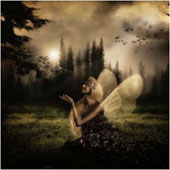
軟體:Photoshop
說明:
The idea behind this work was to create a fantasy world. You will learn how to work with a few images and create a really interesting photo manipulation.
Amanda 發表在 痞客邦 留言(0) 人氣(27)
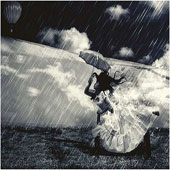
軟體:Photoshop
說明:
In this tutorial we are going to create a dark surreal illustration using a few techniques and a handful of images. In the end, we will apply stylish color settings and give the illustration that extra polish it needs to give it that finished look.
Amanda 發表在 痞客邦 留言(0) 人氣(7)
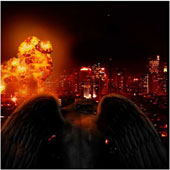
軟體:Photoshop
說明:
In this tutorial, we’ll be creating a photo montage of a demon destroying a city using only stock photos and of course Photoshop.
Amanda 發表在 痞客邦 留言(0) 人氣(2)
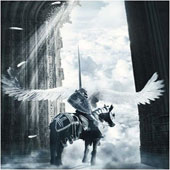
軟體:Photoshop
說明:
In this tutorial we are going to create a photo manipulation inspired by Valhalla, one of Mariusz Karasiewicz`s works. He is an amazing artist and his work is absolutly stunning.
Amanda 發表在 痞客邦 留言(0) 人氣(9)

軟體:Photoshop
說明:
In this tutorial Nik Ainley walks us through the process of making a spectacular image.
Amanda 發表在 痞客邦 留言(0) 人氣(13)
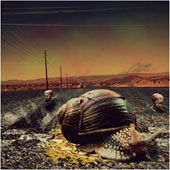
軟體:Photoshop
說明:
Hi there guys. I have prepared a new tutorial. In this tutorial we will be learning some more photomanipulation but this time different than the first one I did.
Amanda 發表在 痞客邦 留言(0) 人氣(5)
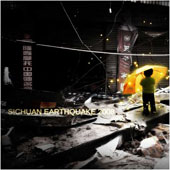
軟體:Photoshop
說明:
This is a short tutorial on how I made the SICHUAN EARTHQUAKE 2008 picture.
Amanda 發表在 痞客邦 留言(0) 人氣(7)
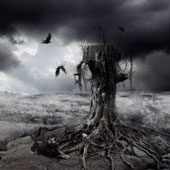
軟體:Photoshop
說明:
You may get .psd* file of "Mysterious Hollow" Photoshop tutorial by making a donation.
Amanda 發表在 痞客邦 留言(0) 人氣(10)
軟體:Photoshop
說明:
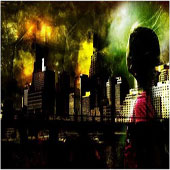
In this tutorial, I will show you the steps I took to design this cool-looking, urban city photo-montage in Ph0toshop. You will learn how to combine several stock images together to achieve surreal photo effect.
Amanda 發表在 痞客邦 留言(0) 人氣(11)