軟體:Flash
說明:
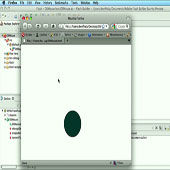
Historically when you wanted to hide mouse cursor you had to hide your mouse and start dragging your visuals in the location where the mouse used to be using the Mouse.hide() and startDrag/stopDrag. Only issue was that your mouse visibility was dependent on your flash player performance and frame-rate.
網址:View Tutorial
分享:
Amanda 發表在
痞客邦
留言(0)
人氣()
軟體:Flash
說明:
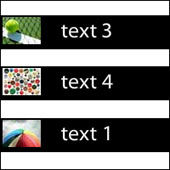
In this tutorial you will learn how to create a news ticker in Actionscript 3. The news ticker contains multiple rotating blocks that hold images and text. The text and images will be loaded using XML.
網址:View Tutorial
分享:
Amanda 發表在
痞客邦
留言(0)
人氣()
軟體:Flash
說明:
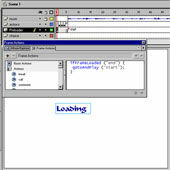
This should helps them realize that there is something on the page which is loading even though they cannot see it. It also keeps your visitor amused for a short time and stops them closing the page or quickly moving on to the next website.
Once you understand the basics of the Flash preloader you can create more advanced preloaders with moviclips and additional actionscripting.
網址:View Tutorial
Amanda 發表在
痞客邦
留言(0)
人氣()
軟體:Flash
說明:
This tutorial explores one of many methods, which could be used to allow an ActionScript 3 swf file to communicate back and forth to an SQL database, storing and retrieving values in a table. This functionality is useful for simple Internet applications, which require on the fly access to external data sources. In this tutorial we will develop a dynamic application that allows users to create a nametag, which will be stored and retrieved from a database.
網址:View Tutorial
分享:
Amanda 發表在
痞客邦
留言(0)
人氣()
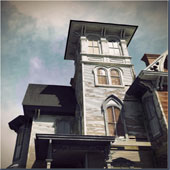
軟體:3ds Max, Photoshop
說明:
My goal for this image was to create a high resolution, realistic render of an old home that looks abandoned and worn down from the conditions over time.
網址:View Tutorial
分享:
Amanda 發表在
痞客邦
留言(0)
人氣()
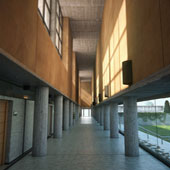
軟體:3ds Max, V-Ray, Photoshop and Fusion
說明:
Hi everybody. It’s a pleasure to be here with this Making Of, in which I’ve tried to explain the creation process of my latest image “Never Again”. As usual, I used 3ds Max with V-Ray for rendering, Adobe Photoshop to create and manipulate textures, and Fusion for the final post-production.
網址:View Tutorial
分享:
Amanda 發表在
痞客邦
留言(0)
人氣()

軟體:3DS MAX
說明:
Its a personal project and I will share you with the steps that you need to do to make a similar project. In this tutorial I will also tell you how to use hdri to make your light in your renders, and what settings you need to do.
網址:View Tutorial
分享:
Amanda 發表在
痞客邦
留言(0)
人氣()

軟體:ZBrush, Photoshop
說明:
Hello everyone, this is a little making of my creature called “Nemesis”.
網址:View Tutorial
分享:
Amanda 發表在
痞客邦
留言(0)
人氣()
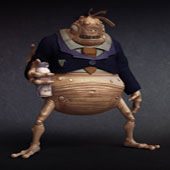
軟體:3ds Max, Zbrush and Photoshop
說明:
In this tutorial Carlos Lopez shows us how he was making his work “The Duel”
網址:View Tutorial
分享:
Amanda 發表在
痞客邦
留言(0)
人氣()

軟體:3ds Max , Mudbox, Vray, Photoshop
說明:
My style is cartoony I would like my character be a childlike kind totally
Before start designing any character you must know the characteristics of the character like what is the age, from which background character is coming, what was the objective etc…? So before I start to design my character I spotted some characteristic for that, and because my style is cartoony I would like my character be a childlike kind totally.
網址:View Tutorial
Amanda 發表在
痞客邦
留言(0)
人氣()
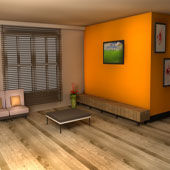
軟體:3DS MAX
說明:
Hello guys I will show how create a 3dsmax 3d interiors modeling tutorial.
網址:View Tutorial
分享:
Amanda 發表在
痞客邦
留言(0)
人氣()
軟體:3DS MAX
說明:
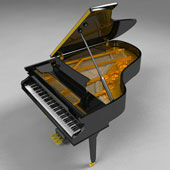
This is a tutorial focusing on a workflow for modeling a Grand Piano.
網址:View Tutorial
分享:
Amanda 發表在
痞客邦
留言(0)
人氣()

 Drawing (圖)
 Illustrator Tutorials
 Flash Tutorials
 3DS MAX Tutorials


